

Running Generic Extractor
Generic Extractor is normally run from within the Keboola user interface. It can be found in the Extractors section and all you need to do is provide its configuration JSON. No other settings are necessary.
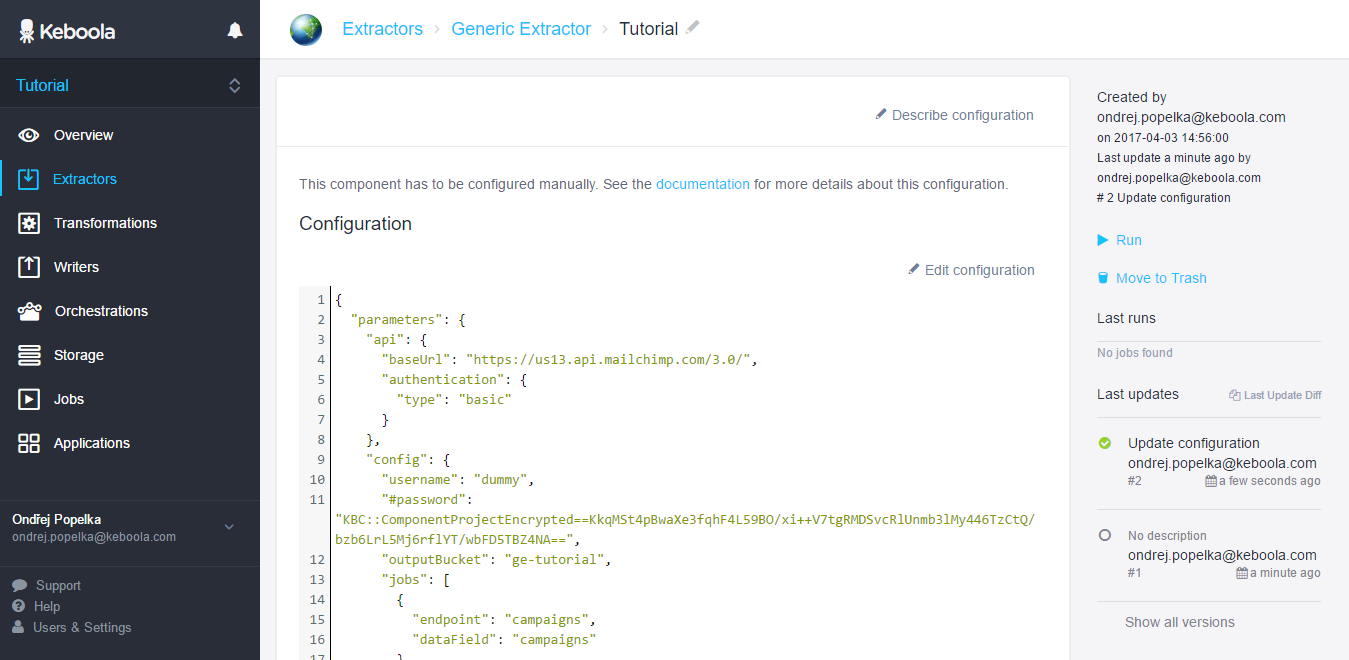
Because creating the configuration JSON can be a non-trivial task, there are some things which can help you in developing the configuration.
Debug Mode
Section titled “Debug Mode”Debug mode can be turned on by setting "debug": true in the config section of the configuration, e.g.:
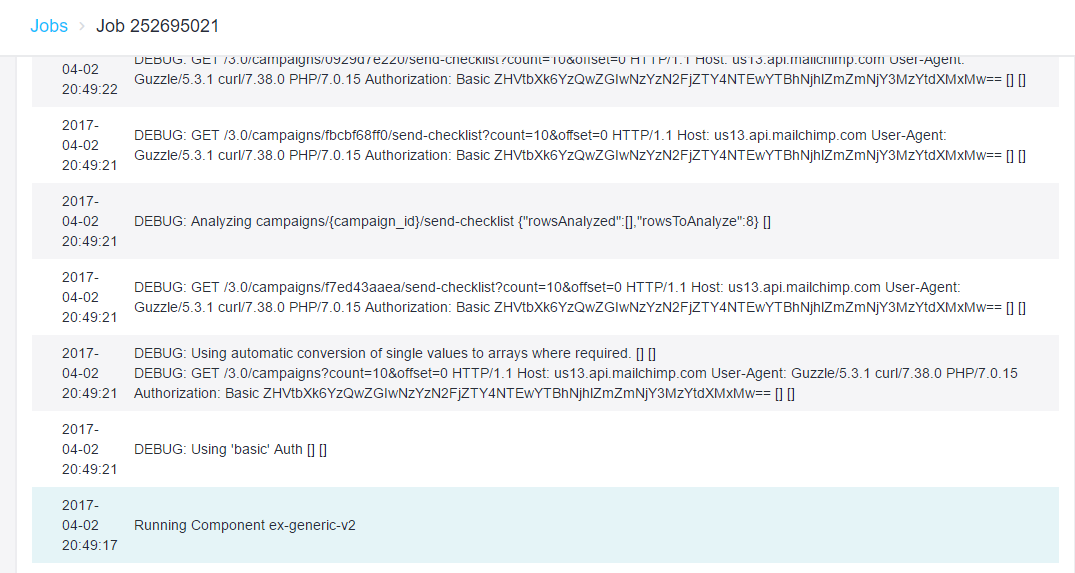
{ "api": { ... }, "config": { "debug": true, ... }}In debug mode, the extractor displays all API requests it sends, helping you understand what is really happening, why something is skipped, etc.
Running Locally
Section titled “Running Locally”If you are working on a complicated configuration, or developing a new component based on Generic Extractor, running every configuration from the Keboola UI may be slow and tedious. You may run Generic Extractor locally, provided that you have access to Docker. The following is not necessary to run or configure Generic Extractor in Keboola.
Run Built Version
Section titled “Run Built Version”Create an empty directory somewhere and in it create a config.json file with a
configuration you want to execute. For example:
{ "parameters": { "api": { "baseUrl": "https://api.github.com", "http": { "Accept": "application/json", "Content-Type": "application/json;charset=UTF-8" } }, "config": { "debug": true, "jobs": [ { "endpoint": "/orgs/keboola/members", "dataType": "members" } ] } }}Then run Generic Extractor in the current directory by executing the following command on *nix systems:
docker run -v $(pwd):/data 147946154733.dkr.ecr.us-east-1.amazonaws.com/developer-portal-v2/ex-generic-v2:latestor on Windows:
docker run -v %cd%:/data 147946154733.dkr.ecr.us-east-1.amazonaws.com/developer-portal-v2/ex-generic-v2:latestYou should see:
DEBUG: Using NO Auth [] []DEBUG: Using automatic conversion of single values to arrays where required. [] []DEBUG: GET /orgs/keboola/members HTTP/1.1 Host: api.github.com User-Agent: Guzzle/5.3.1 curl/7.38.0 PHP/7.0.17 [] []DEBUG: Analyzing members {"rowsAnalyzed":[],"rowsToAnalyze":7} []DEBUG: Processing results for __kbc_default. [] []INFO: Extractor finished successfully. [] []along with the output tables created in /out/tables sub-directory of the current directory.
It is recommended to remove the contents of the out/tables directory before running the extractor again.
{ ..., "config": { "#username": "JohnDoe", "#password": "TopSecret", ... }}When you store such configuration in the Keboola UI, it will automatically be encrypted:
{ ..., "config": { "#username": "JohnDoe", "#password": "KBC::ComponentProjectEncrypted==r13Khq0lR4ycDNTujirz5/GMqNEVZ4tZ2OTmRcsNYqlP/a/STMelWtz9R8yEtr3ck6KiYA7XrL8pqIQv9S7Ro28KNZgmqtSNzKhFcEsItPnTDCQqvnU99q2a0ES+oN/v", ... }}The above configuration then cannot be run locally. Read more about encryption.
Building and Running the Image
Section titled “Building and Running the Image”To build the container from source:
- Clone this repository:
git clone https://github.com/keboola/generic-extractor.git. - Switch to the created directory:
cd generic-extractor. - Build the container:
docker compose build. - Install dependencies locally:
docker compose run --rm extractor composer install. - Create a data folder for configuration:
mkdir data.
To run the built container:
- Create a configuration file
config.jsonin the data folder. - Run the extraction:
docker compose run --rm extractor. - You will find the extracted data in the
out/tablessub-directory of the data folder.
Before running the extractor again, it is recommended to clear the out directory by
running docker compose run --rm extractor rm -rf data/out.
Running Examples
Section titled “Running Examples”All examples referenced in this documentation are actually runnable against the proper API. Because
it is difficult to find the specific API for the case (and gain access to it), you can test
these configurations against a mock server.
Each example contains a set of requests (*.request file) and responses (*.response) and
optionally their headers (*.requestHeaders and *.responseHeaders).
To run the examples:
- Clone Generic Extractor repository:
git clone https://github.com/keboola/generic-extractor.git. - Navigate to the documentation directory:
cd generic-extractor/doc. - Run a single example of your choice, e.g.:
docker compose run -e "KBC_EXAMPLE_NAME=001-simple-job" extractor. - The output will be available in
examples/001-simple-job/out/tables. - Or run all examples by executing
./run-samples.sh.
If you want to create your own example, follow the instructions in the mock server repository.